
Removing People From your Group within EHSA
Step 1: Click the "Worker Registration Icon"

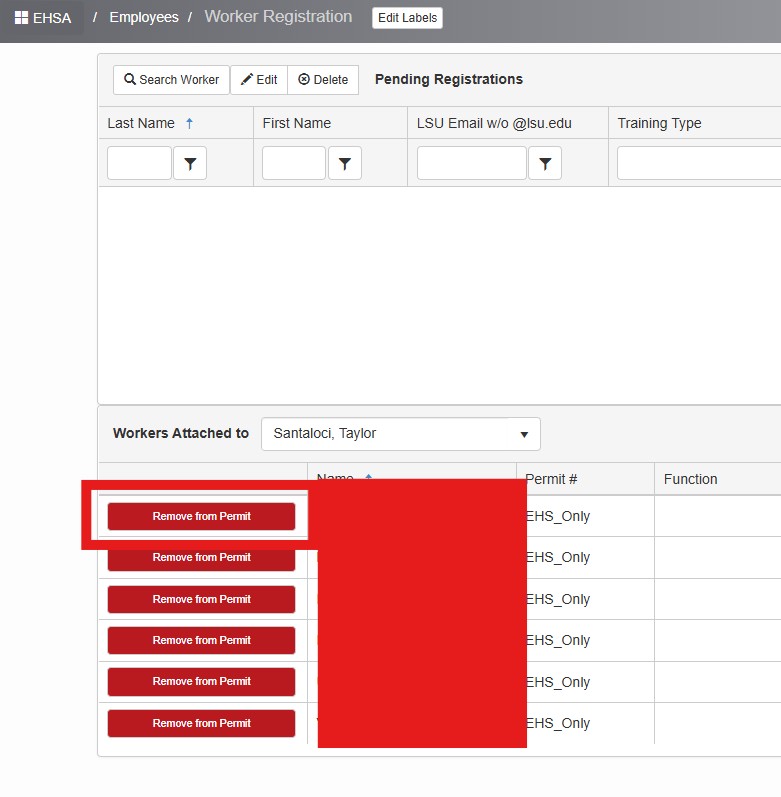
Step 2: Select your PI name and Click "Remove from Permit" button:
Step 1: Click the "Worker Registration Icon"
Step 2: Select your PI name and Click "Remove from Permit" button: